
Source suppliers. Coordinate group travel. One place.
Find hotels and venues across South Africa, request and compare quotes, then coordinate guest accommodation, flights and transfers — in one workspace.
For corporate event teams, event and MICE agencies, and group travel specialists.
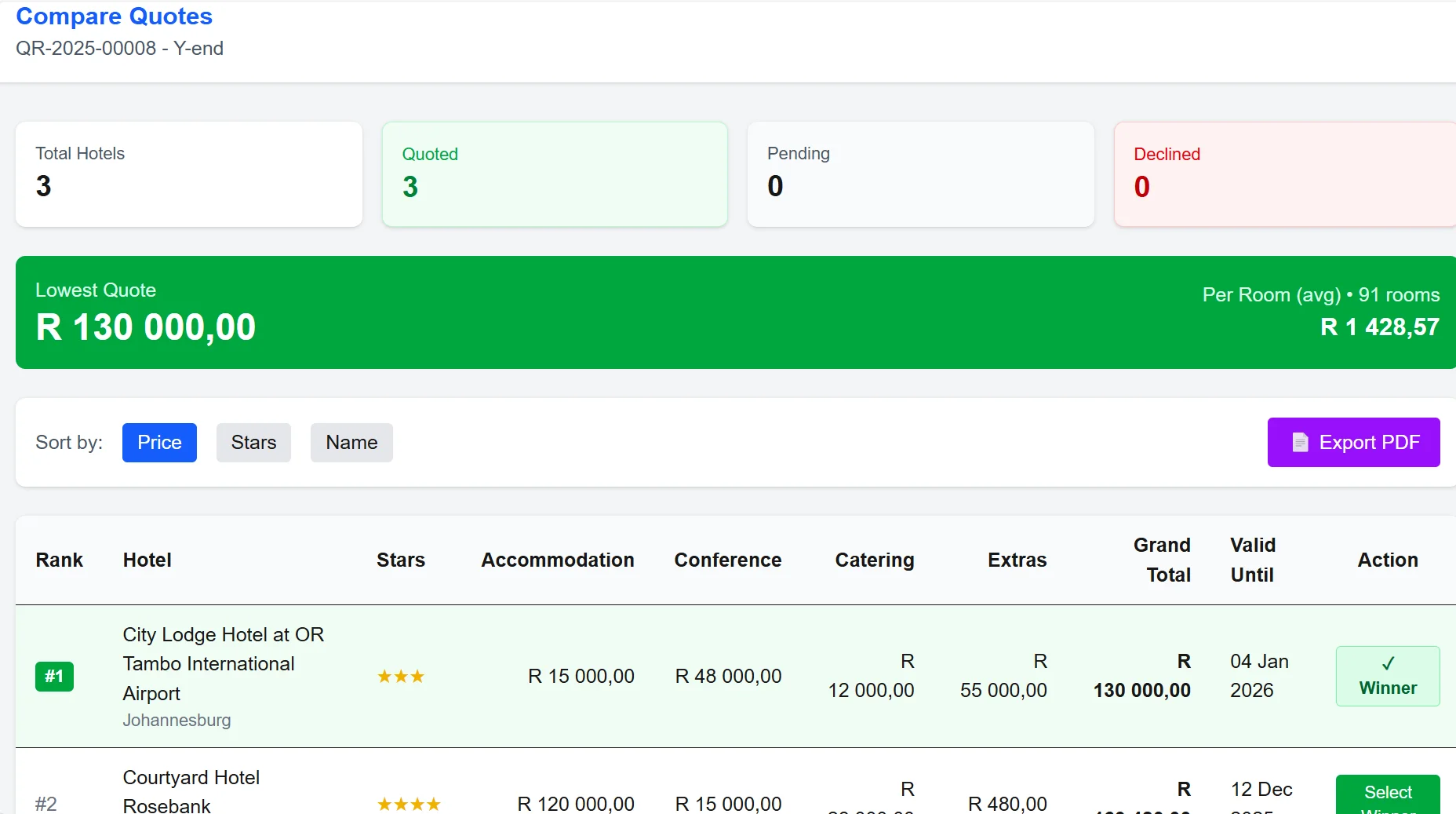
Six modules. One record of the group, from brief to arrival.
Everything below runs in production for our launch customer today, except where a line says otherwise.
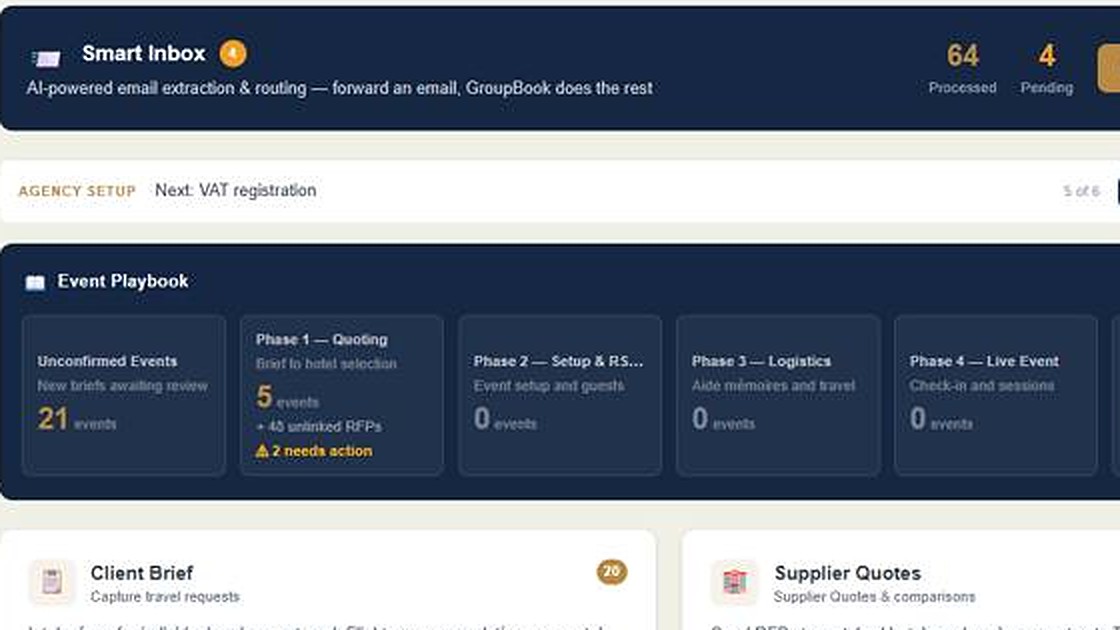
Clients & briefs
Send a client an intake link, or forward their email to your Smart Inbox. You get a structured brief — dates, numbers, rooms, meeting space, budget — ready to action.
- Client brief form, individual and group
- Client branding on every document
- Multi-client dashboard
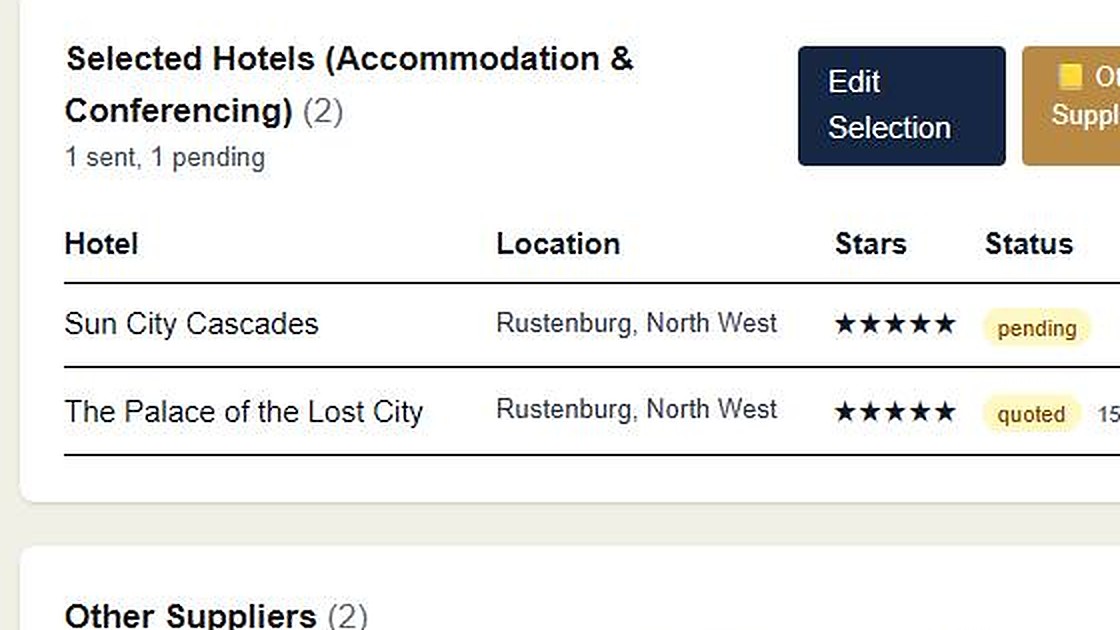
Hotel & venue sourcing
Match from the directory by town, capacity, layout and distance. Send one branded request to the shortlist; replies file themselves against the brief.
- Group-desk contact on every listed hotel
- Width cap so hotels take the request seriously
- Award and decline in one click; everyone hears back
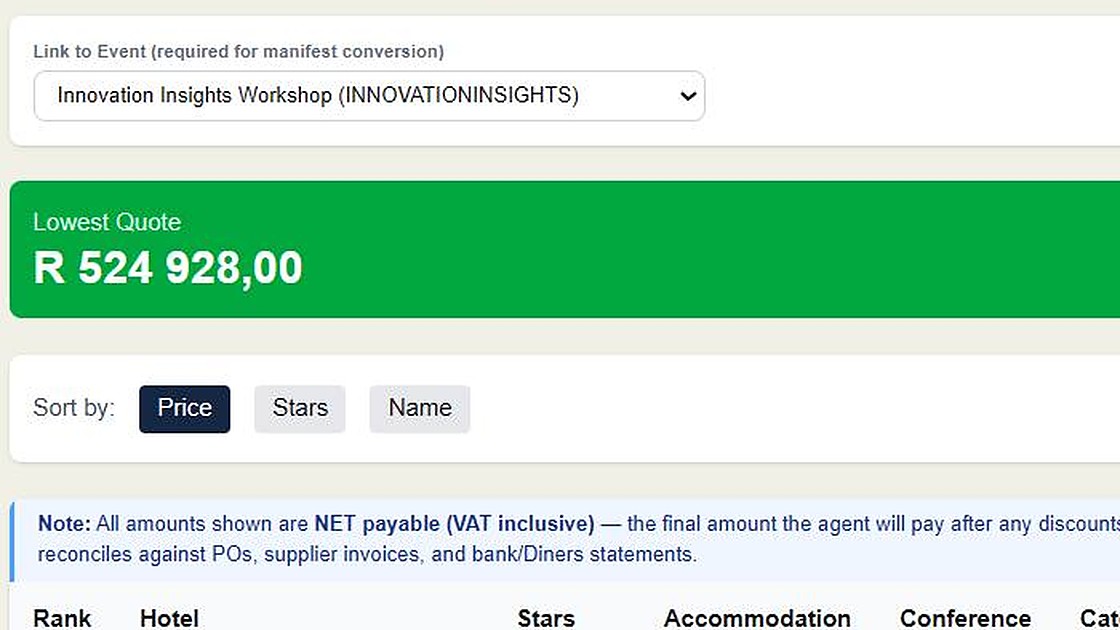
Quote comparison
Quotes are read into a side-by-side comparison — rates, totals, availability, conditions and attachments. A revised quote updates its own column.
- PDF and email quotes read by AI
- Sort by price, stars, name
- Export the comparison for the client
Guests & events
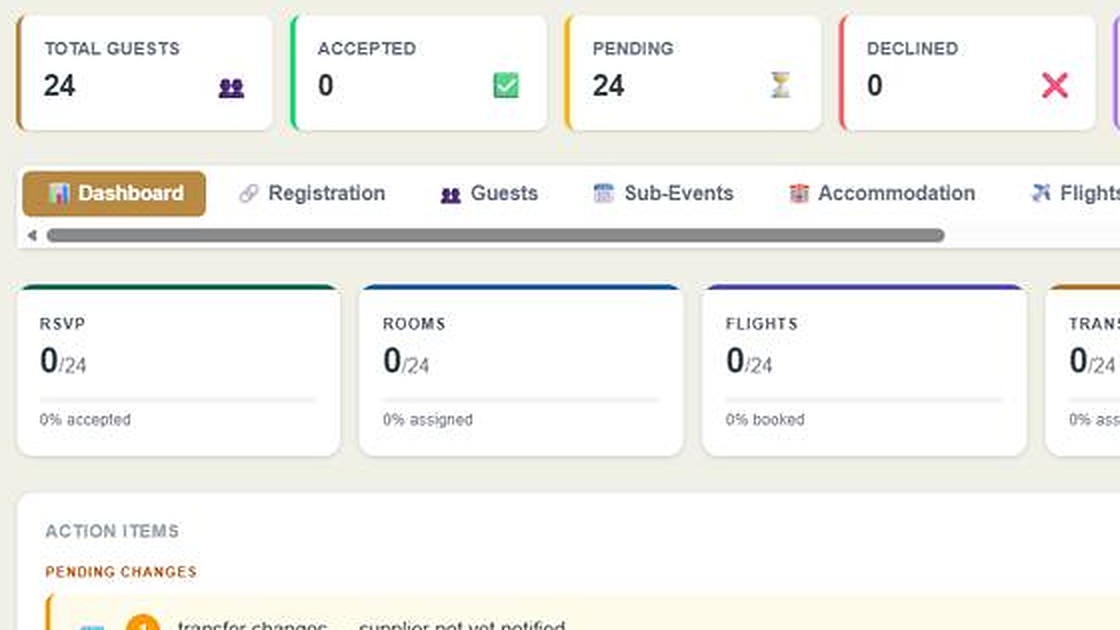
Import the guest list once. Entitlements, dietary and special requirements, sub-events and a personalised itinerary (Aide Mémoire) for each guest.
- Guest import and entitlements
- Aide Mémoire — a branded mobile itinerary
- Guest portal and RSVP In UAT with a launch customer
Travel logistics
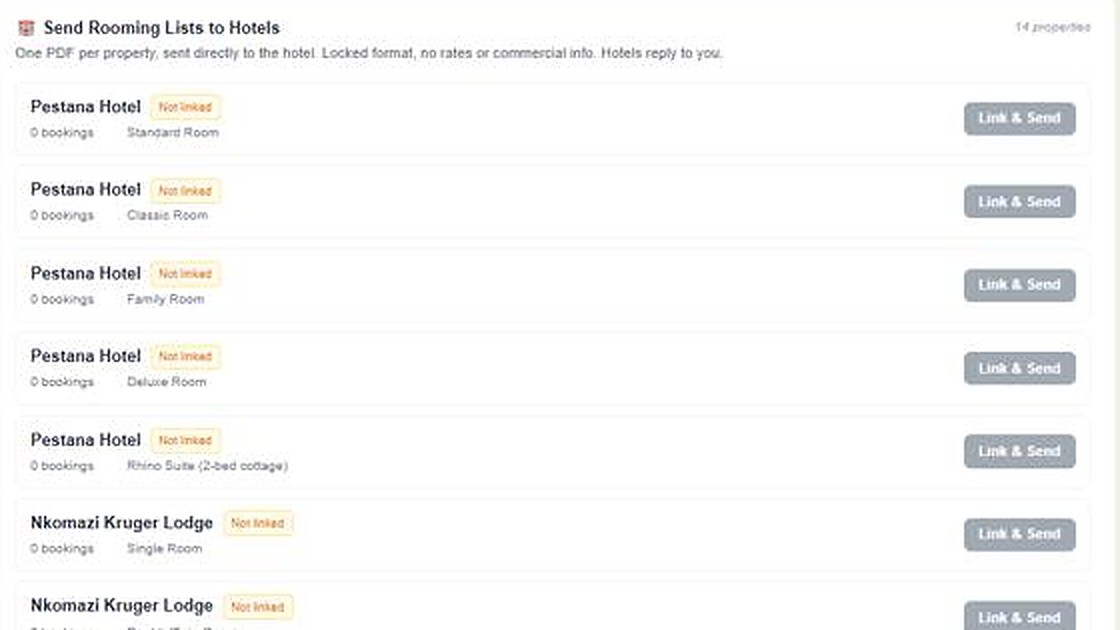
Accommodation, flights, transfers and car hire from the same guest list. Rooming lists, airline manifests and transfer schedules regenerate when the list changes.
- Room blocks, auto-assign, per-hotel rooming lists
- Flight legs, passport capture, per-airline manifests
- Transfer manifests with driver assignment and change tracking
- Event readiness email: what's still open, 14, 7, 3 and 1 day out Coming Q4 2026
Reconciliation
Import card statements and match them to the event's bookings and purchase orders in one workspace, so month-end is a review of exceptions rather than a rebuild.
- Card-statement import
- PO registry and budget tracking
- Automatic matching engine Coming Q4 2026
Forward an email. GroupBook reads it for you.
Every document that reaches GroupBook — a client's brief, a hotel's quote, a flight confirmation, a supplier invoice — is read, classified and routed to the record it belongs to. One email, several outcomes, no re-typing.
Forward the client's request; the brief is drafted for you to check and confirm.
Rates, inclusions and availability are read out of the reply and shown beside the other quotes.
A confirmation becomes the flight or room on that guest's Aide Mémoire.
Amounts and references are captured against the event, ready to match to the statement.
New suppliers are recognised from what they send you; the supplier map grows without data entry.
Extraction is reviewed: anything the reader is unsure of is flagged for a person, not filed silently.
Same platform, one price ladder. Start where the work is.
Our recommendations follow what you run, not what you are called.
I run events for my company
Briefs arrive from every department, quotes come back in every format, and the guest list changes until the day before.
We recommend Boutique for teams running guest logistics. Scale, SSO or a service commitment point to Larger organisations.
See the plan →I'm an event agency
Every event starts with the same phone calls to find the group desk, and the same spreadsheet rebuilt from scratch.
Sourcing-led work fits Sourcing; add guest logistics on Boutique.
See the plan →I'm a MICE agency
Multi-hotel, multi-city programmes with rooming lists, transfers and supplier packs that must agree with each other.
Several events in flight at once is Boutique or Full House.
See the plan →I move groups
Sports tours, incentive trips, conference delegations — the same group, many suppliers, one deadline.
Start on Sourcing; add rooming, flights and transfers on Boutique.
See the plan →Your request reaches the group desk, not the switchboard.
Hotel group-desk addresses change every time staff do. Ours are kept by a person who phones, checks the property's own pages, and records where the address came from and when.
- Hotels and venues, by town and capacity. Search on what the brief needs — a room block for 120, a plenary for 300 classroom-style, both in one property.
- A group-desk contact on file for every listed hotel, with the date it was last checked. Contacts confirmed directly with the property are marked as such; the count is on this page.
- Bounces are watched. An address that bounces is flagged for re-checking before the next request goes out.
- Contacts are never exported or listed. They are used to send your request; the directory is not a mailing list.
How a hotel becomes reachable
Property, town, rooms, meeting space and the published sales or groups address.
Mail domain confirmed; the address is one the property itself publishes or one its staff gave us.
Where we have spoken to the property directly, the contact is marked confirmed with a date.
Bounces, replies from a different address and hotel updates feed back into the record.
Seven steps from brief to settlement
Capture the brief
Dates, people, rooms, meeting space, flights, transfers, car hire, budget. One form for the client, or forward their email and the brief drafts itself.
Shortlist from the directory
Town, capacity, layout, distance. Every listed hotel has its group-desk address on file, with the date it was last checked.
Send one request
One branded request to the whole shortlist, with a deadline and a reply address that files each answer for you.
Compare and award
Quotes read out of PDFs into a side-by-side comparison. One click awards the winner and tells everyone else.
Invite and look after the guests
Invitations, online replies, dietary and special needs, sessions, check-in at the door, and a personal itinerary on every guest's phone.
Run the travel
From the same list: rooming lists per hotel, passenger lists per airline, transfer sheets with drivers, car hire, supplier packs and vouchers — all regenerated when the list changes. Before each event, an email lists what is still open. Coming Q4 2026
Settle
Card statements matched to bookings and purchase orders; you review only the exceptions.
The Smart Inbox, under every step
Forward an email or a PDF; it is read and filed where it belongs — brief, comparison, itinerary or reconciliation.
Two jobs: source it, then run it.
The work continues after the quotes arrive. GroupBook keeps sourcing and guest travel coordination in the same workspace, from the first request to the last transfer.
The three-minute tour. No login, no form.
From a client brief to hotel requests, quote comparison, guest itineraries and reconciliation — click through the platform yourself.
“I used to retype every booking into three different spreadsheets. Now I forward one email and GroupBook does it all — guest itinerary, recon, supplier record. I don't touch a spreadsheet anymore.”
Amanda du Preez · AdP Travel Management · GroupBook's launch customerOne ladder. Monthly, no contract; or annual with two months free.
Everyday guest events are included on Boutique and Full House, with a few larger ones; the really big ones are priced per event, shown and approved first. Every plan carries a fair-use envelope. No VAT is charged.
Answered plainly
Who is GroupBook for?
Anyone whose work is sourcing suppliers for a group and then coordinating that group's travel: corporate event teams, event and MICE agencies, and group travel specialists. There is one price ladder; you choose a plan by the work you run, not by what your organisation is called.
What does the Smart Inbox actually do?
You forward an email or upload a PDF. GroupBook classifies it — client brief, hotel quote, flight confirmation, supplier invoice — reads the details out of it, and files them on the right record: the comparison, the guest's itinerary, the reconciliation. Anything it is unsure of is flagged for you rather than filed silently.
Does GroupBook tell me what is still outstanding before an event?
From Q4 2026, yes: the event readiness email is being built now. Fourteen, seven, three and one day before each active event, it emails you what GroupBook can see is still open on that event: guests without flights or ID numbers, guests nobody can send documents to, rooming lists not yet with the hotel, transfers not confirmed and queries nobody has picked up. Each item links to where you fix it. Anything you track outside GroupBook will not be in it.
How current is the hotel directory?
Every listed hotel has a group-desk contact on file, with the date it was last checked. A person maintains it: phoning, checking the property's own pages, and recording where each address came from. The number confirmed directly with the property is published on this page and grows weekly. Bounced addresses are flagged for re-checking before the next request goes out.
We already use an RSVP tool. Does GroupBook replace it?
For most events, the guest module covers invitations, entitlements, dietary and special requirements, sub-events and a personalised itinerary per guest, with the guest portal and RSVP in UAT with our launch customer. Everyday events are included on Boutique (up to 100 registered guests) and Full House (up to 150), with a few larger ones each year; the really big ones are priced per event. Where a specialist RSVP tool is already embedded, GroupBook imports the confirmed list and runs the travel from there — that never triggers an event charge.
Are there usage limits?
Plans differ on users, guest events (how many and how big) and help. Everything else is one fair-use envelope, the same on every plan, there to protect hotels' inboxes and the directory. You see a notice at 80% and can go 20% over once; sustained use above it is a conversation, never a surprise invoice. The envelope is on the fair-use page.
What does support cost?
Our defects are fixed at no charge, whenever they occur; response follows the published business-hours targets. Help using GroupBook is included. Work on your own data, set-up or training comes from a monthly allowance of minutes, and anything bigger is quoted at R850 an hour and approved by you first. Details, response targets and the Event Window offer are on the support page.
Email support@, or press Log a call inside the app. You get a reference number and one confirmation.
Business hours Monday to Friday 08:00–17:00 SAST. Response targets by severity and plan, and what is included, are on the support page.
Support and response targets →We cap how many properties one request can go to.
Your inbox matters to us as much as our customers' time. Requests carry the brief, a deadline and a reply address that files your answer.
What a GroupBook request looks like →Built for South African operators, hosted with named providers.
Your briefs, clients, guests and quotes are visible to your organisation only. The directory is shared; its contacts are used to send your requests, never exported or listed.
Application and database on Supabase and Vercel; transactional email through Resend; document reading through Anthropic. A POPIA operator agreement is part of every plan.
Privacy policy and terms are the versioned documents inside the app — the ones your organisation actually accepts — not a marketing copy that can drift.
A fault in GroupBook is ours to fix, whenever it occurs, on every plan; response follows the published business-hours targets. Support carries a reference number and a published response target.
See it on one of your own briefs.
A walkthrough is forty minutes, on a real requirement, with the person who built it.